Plan it, time it, finish it.
One task at a time.
Lanes is a kanban board with a timer on every task. Give each task an estimate, see the real time next to it, and keep one task in Doing so you finish it before you start the next. When the work needs your whole attention, stake coins on a focus session and put the phone down.
Download on the App StoreHow Lanes works
1 · A board for each project
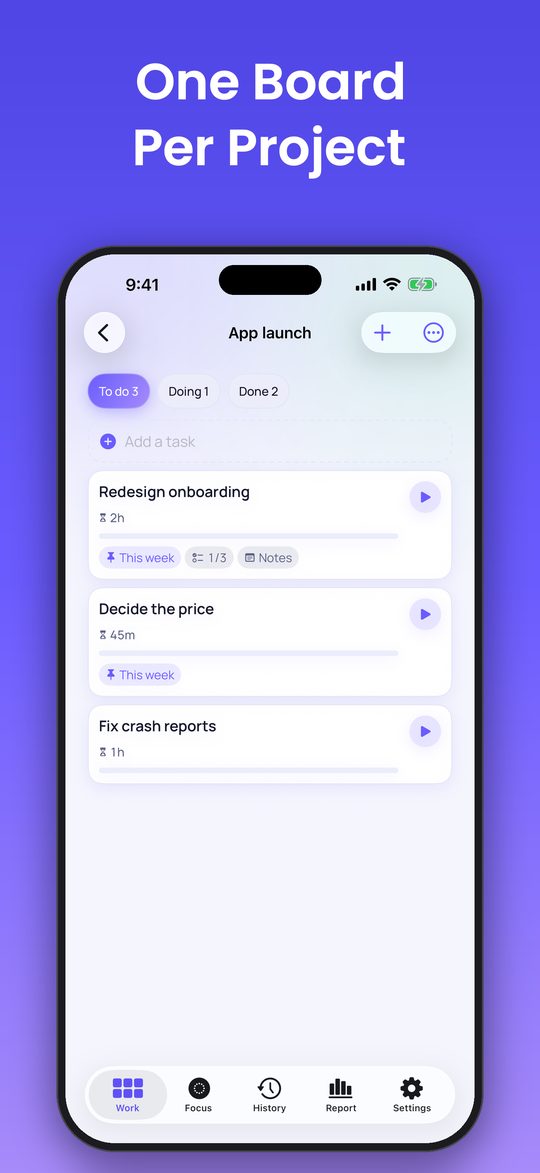
To do, Doing, Done. Notes and a checklist on every task. Duplicate, archive or delete a task, or move it to another project with its tracked time.
2 · Estimate, then time it
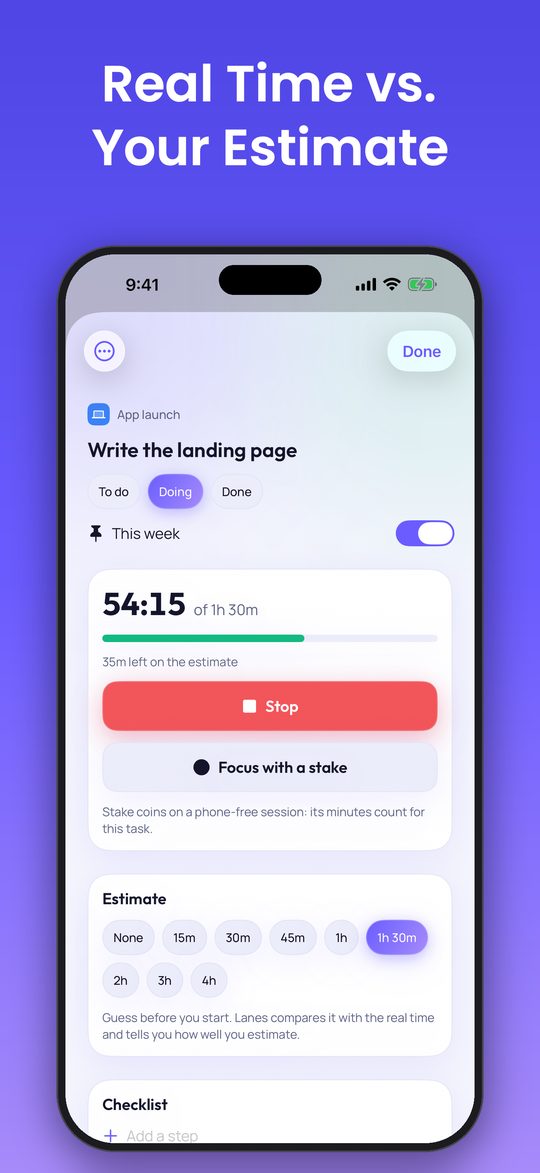
Give a task an estimate and tap Start: the card shows the real time against your guess. After a few finished tasks, Lanes tells you whether you under- or overestimate, and by how much.
3 · One task in Doing
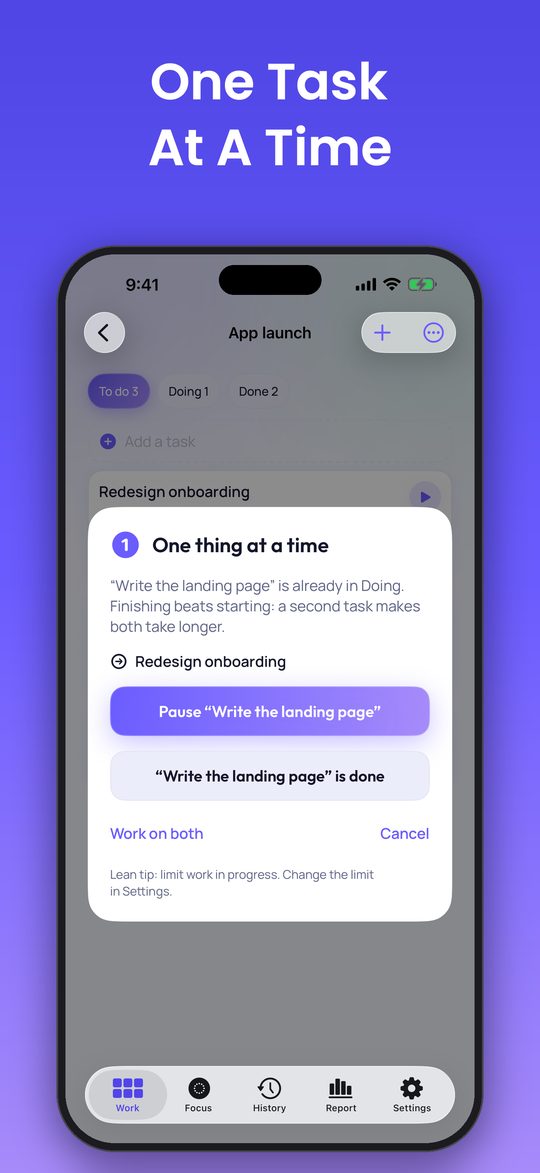
Start a second task and Lanes asks: pause the first, finish it, or keep both. A task that sits in Doing for three days or more gets flagged. You can raise the limit or turn the coach off.
4 · Your week in numbers
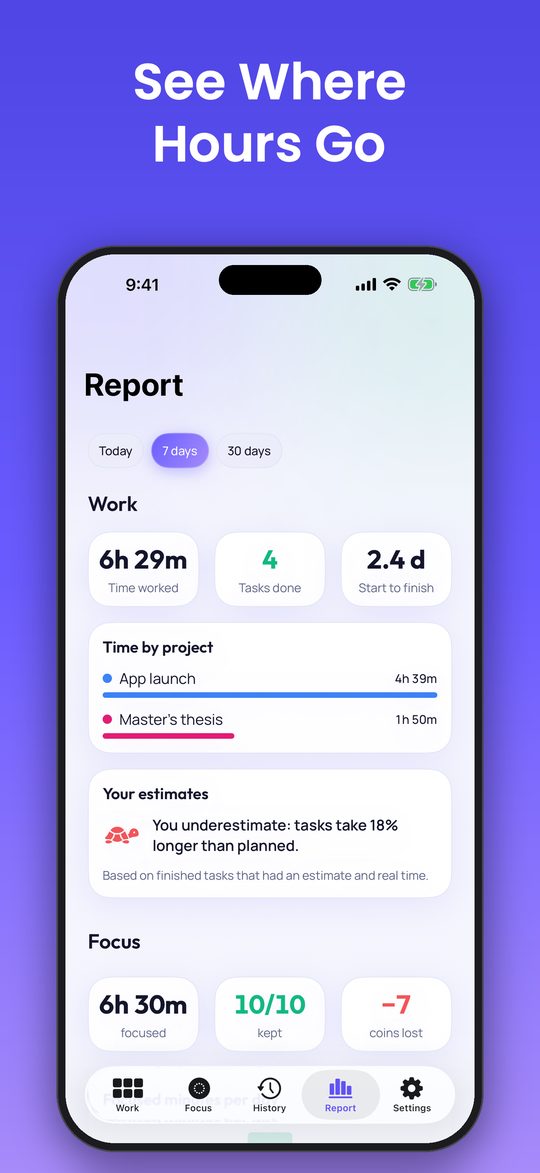
Time worked, tasks done, time by project, how long tasks take from start to finish, and your focus minutes, by day, week or month. Pin tasks to this week to see how full it is.
Focus with stakes
For deep work, stake coins on a focus session. The screen goes dark and a Live Activity keeps the countdown on your lock screen. Keep your word and the coins come back; if not, you get a receipt of what distracted you, when, and what it cost. A session started from a task counts as that task's time.
What costs coins, what is free
The app
Questions
Is there a subscription?
No. Lanes Pro is one purchase: unlimited projects (the free version keeps two), the 7- and 30-day reports, a weekly capacity in hours, and sync between your devices with Sign in with Apple. Today's report is free. Coins for focus stakes are sold separately and never expire. There are no ads.
Do I need an account?
No login is needed. Your projects are saved to a private account from your first task; sign in with Apple only if you want them on another device. You can delete the account and all its projects from Settings at any time.
Was Lanes called Vow?
Yes. Vow became Lanes with version 2.0, when it gained projects, a board and a timer on every task. Your coins and your focus history stay as they were.
Is staking coins gambling?
No. There is no element of chance and no payout of value. Coins have no cash value and are never paid out; they are only consumed by a stake you explicitly confirm before each session, and purchased coins never expire.
What if the app got it wrong?
One automatic refund per week, no questions asked. Sessions lost because the app crashed are always refunded. Real phone calls never count, and locking your phone is always free.
How does Lanes know I touched my phone?
Everything happens on your device: iOS tells the app when it loses focus, goes to the background or when the phone is locked; the motion sensor notices a pickup. Motion data never leaves the device.
Which languages?
English, German, French, Spanish, Italian, Portuguese, Dutch, Swedish, Norwegian, Danish, Polish, Turkish, Russian, Japanese, Korean, Chinese (Traditional and Simplified), Indonesian, Thai and Vietnamese.